
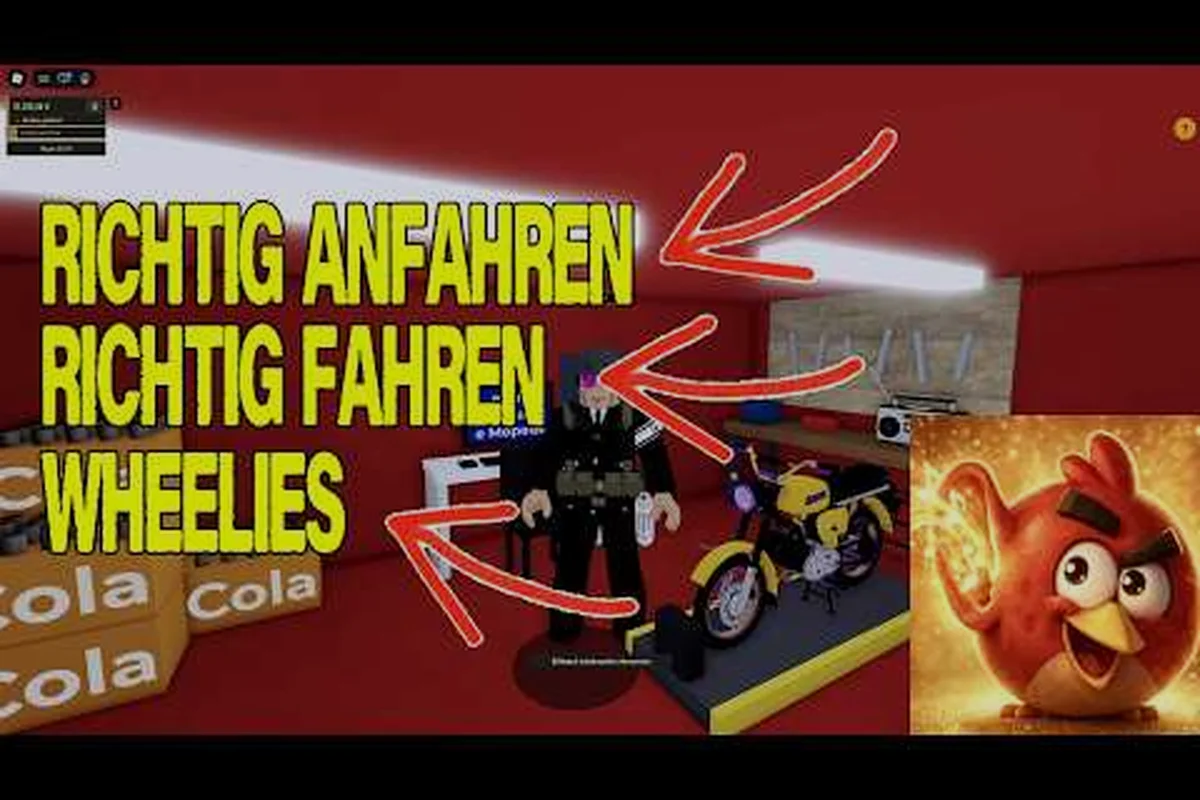
Badges in German Moped Days are still a moving target, and this German Moped Days badge guide breaks down what is actually confirmed versus what the community is still chasing. The one badge players ask about most is Met the Owner, and knowing how it triggers saves hours of guesswork.
What This Badge Guide Walks Through
The badge list in this Roblox moped sim is short, and that is the first thing to understand before you start grinding. According to community data collected from player reports, the only badge confirmed so far is Met the Owner, earned by running into the developer during an active server session. Everything else on the badge board is either unreleased or undocumented, which means a smart German Moped Days progress guide should focus on what is verifiable rather than inventing a checklist.
That reality shapes how you should approach achievements here. Because the game is a small indie project maintained by one developer, badges arrive slowly and often without patch notes. The title itself carries update markers like "(UPDATE! + fix!)", which tells you the creator ships changes fast and quietly.
Here is how the confirmed and unconfirmed badge landscape breaks down: of the four entries visible on the badge board, only Met the Owner carries a High confidence rating, while Delivery milestones, Level-based rewards, and Cosmetic unlocks all sit at Low confidence with no verified trigger data behind them. That gap matters because the badge board gives no in-game hint about which unconfirmed entries are actually live code versus placeholder slots — the developer has never published a badge changelog, and update markers like "(UPDATE! + fix!)" confirm patches ship without documentation. Practically, this means your german moped days met the owner badge run should be treated as the only grindable target, with the other three rows functioning as watchlist items rather than objectives.
| Badge | Status | How It Triggers | Confidence |
|---|---|---|---|
| Met the Owner | Confirmed | Encounter the developer in a live server | High |
| Delivery milestones | Unconfirmed | Possibly tied to job completions | Low |
| Level-based rewards | Unconfirmed | Possibly tied to XP thresholds | Low |
| Cosmetic unlocks | Unconfirmed | Possibly tied to shop progress | Low |
The takeaway is simple: treat Met the Owner as your primary badge target and view the rest as bonus discoveries. If you want the broader picture of how levels and XP feed into rewards, the progression guide walks through the leveling curve that most badges would logically attach to.
A Beta Reality: Badges Stay Missing
Community data treats the badge list as unfinished, and that is not a bug — it is a beta-stage reality. The developer profile shows no verified badge and a one-person update pattern, so new achievements can appear any time a patch drops. Players who check the badge board after each update tend to spot additions before guides catch up.
How to Get Met the Owner Badge in German Moped Days
This is the section most readers came for, so let us be direct about what works. The Met the Owner badge fires when you share a server with the developer, whose Roblox handle is 123xPhilx321. You do not need to complete a task, deliver a package, or hit a level — you simply need to be in the same session when they join.
Because servers cap at roughly 20 players, your odds depend on timing and patience rather than skill. The developer joins to test updates, read feedback, and watch the leaderboard, so active hours cluster around patch releases. If you are hunting the badge, here is a practical sequence:
-
Watch the game page for update markers — titles like "(UPDATE! + fix!)" signal the developer is actively working and likely to log in.
-
Join fresh, low-population servers — a quieter server means fewer players competing for the same session slot.
-
Stay in one server instead of hopping — the badge only triggers if you are present when they arrive, so server-hopping resets your exposure.
-
Play during evening hours in the developer's timezone — community reports suggest most owner appearances happen when the creator is testing after work.
-
Keep the game open in the background — many players earn the badge passively while doing deliveries rather than actively waiting.
The developer's official Roblox profile doubles as the studio page for this game, and it is where update notes and fix announcements reach the community. Checking it regularly is the closest thing to a badge radar you will get.
What Does Not Work for the Owner Badge
Plenty of myths circulate about forcing the badge. Sending friend requests, messaging the developer, or joining their group does not trigger it. The badge is purely about co-presence in a live server, so no amount of social outreach substitutes for simply being there when they spawn in.
Reading the German Moped Days Player Chart and Leaderboard
The player chart ranks riders server-wide, and it is the closest thing this chill sim has to a competitive ladder. Understanding it matters because leaderboard position is the most visible signal of how far your account has progressed, even if it does not directly award badges.
The chart sorts players by accumulated performance, which community reports tie primarily to active riding and delivery jobs. That means the leaderboard rewards time invested rather than one-off lucky runs. If you are chasing a top slot, the leveling guide explains how faster XP gains translate into higher chart placement over a session.
The player chart behaves like a layered ladder rather than a flat list: the top three slots are usually held by long-session grinders who chain delivery jobs for maximum volume, the top ten by consistent daily riders accumulating strong XP, the mid-pack by casual players progressing steadily but slowly, and the bottom tier by new or idle accounts still learning the loop. Because the chart shifts as players join and leave, a high rank only holds while you keep riding — which is why the leveling guide matters if you want to climb and stay there.
| Chart Position | Typical Profile | What It Signals |
|---|---|---|
| Top 3 | Long-session grinders | Maximum delivery volume |
| Top 10 | Consistent daily players | Strong XP accumulation |
| Mid-pack | Casual riders | Steady but slow progress |
| Bottom tier | New or idle accounts | Just starting the loop |
Because the chart shifts as players join and leave, a high rank only holds while you keep riding — so treat it as a live snapshot of effort, not a permanent trophy. A single long delivery session can briefly spike you into the top ten, but idle accounts decay down the tiers once new riders log in and outpace your accumulated XP. This is why the leveling guide matters if you want to climb and stay there: consistent daily riding sustains chart placement, while one-off bursts fade fast.
Using the Chart to Guide Your Sessions
Smart players watch the chart to gauge whether a server is competitive or relaxed. A server full of top-tier riders means faster XP competition but also more active players to learn routes from. A quiet server lets you climb the chart quickly with modest effort, which is ideal if you want visible progress without a grind.
Badges as One Layer of Progression
Badges are one layer of a broader progression system that also includes XP, levels, and unlocks. XP accumulates from active riding and delivery jobs, and levels then gate access to parts of the gameplay loop like better jobs and cosmetics — so your level, not your badge count, is the real backbone of progression. Badges sit on top as collectible milestones, which is why the current list feels sparse: most of them are tied to one-off events like the met the owner badge rather than repeatable actions. Understanding how these pieces connect helps you prioritize where to spend your playtime, since grinding XP and levels positions you to earn any badge that later ties to a progression threshold, while chasing leaderboard rank only yields social proof with no badge attached.
XP comes from active riding and delivery jobs, and levels gate access to parts of the gameplay loop like better jobs and cosmetics. That structure means your level is the real backbone of progression, while badges sit on top as collectible milestones. If you want the full breakdown of what unlocks at each tier, the progression unlocks guide maps the reward system in detail.
Consider how the layers stack: XP and levels form the engine that drives everything else, while badges are the trophies you collect along the way. Because the current badge list is thin — dominated by one-off triggers like the met the owner badge — your practical move is to treat leveling as the prerequisite for future badge gates rather than chasing leaderboard placement, which only yields social proof. The table below breaks down each layer's tracking scope and badge relevance so you can see exactly where your effort converts into collectible progress versus where it simply feeds the next tier.
| Progression Layer | What It Tracks | Badge Relevance |
|---|---|---|
| XP | Active riding and deliveries | Indirect — feeds levels |
| Levels | Access to jobs and cosmetics | Possible future badge gates |
| Leaderboard | Server-wide ranking | Social proof, no badge |
| Badges | Milestone achievements | Direct collectible goal |
Because the badge list is incomplete, the safest strategy is to maximize XP and levels while keeping an eye out for new achievements. A high-level account is positioned to earn any badge that later ties to a progression threshold. In practice, that means prioritizing repeatable delivery jobs and long riding sessions over one-off stunts, since XP accrues from active riding and deliveries while levels gate better jobs and cosmetics. If a future badge is gated behind, say, reaching a specific level or completing a set number of deliveries, a player already sitting at a high tier clears that gate the moment the badge goes live — no retroactive catch-up grind required. Leaderboard placement, by contrast, tracks server-wide ranking and converts into social proof only, with no badge attached, so it's the lowest-priority layer for badge hunters.
Tracking Your Own Progress
Roblox tracks your badges automatically on your profile, so you do not need a spreadsheet to monitor them. What you do need is a habit of checking after each update, since new badges can appear without warning. Pairing that habit with steady XP gains keeps you ready for whatever the developer adds next.
Practical Tips for Badge Hunters
Badge hunting in a small indie sim is less about skill and more about awareness. The players who collect achievements fastest are the ones who stay plugged into update news and server activity. Here are the habits that consistently pay off:
-
Check the badge board weekly — new achievements can appear silently after a patch.
-
Read in-game feedback channels — the game asks players to submit feedback via the in-game phone or PC, and developer responses often hint at upcoming content.
-
Follow the official group — update announcements and fix notes reach the community there first.
-
Play during patch windows — the developer is most likely to appear and test changes right after shipping an update.
-
Keep sessions long enough to matter — short check-ins rarely coincide with owner appearances or chart climbs.
If you are still learning the basics of the loop, the engine start guide covers the first-hour essentials so you can focus on badges without fighting the controls. That matters more than it sounds: the Met the Owner badge only triggers when the developer is actively in the server, and fumbling the ignition or stalling mid-route can cost you the entire window before the owner logs off. Once starting the moped is muscle memory, you can spend those patch-window sessions watching the player chart and leaderboard instead — the two places where owner appearances and progression milestones tend to surface first.
Balancing Badge Chasing With Fun
It is worth remembering that this is a deliberately chill game. Grinding for a badge that may not exist yet is a fast way to burn out. The healthiest approach is to enjoy the riding and delivery loop, let XP accumulate naturally, and treat badges as pleasant surprises rather than mandatory checkboxes.
Frequently Asked Questions
How do I get the Met the Owner badge in German Moped Days?
You earn it by sharing a live server with the developer, whose Roblox handle is 123xPhilx321. There is no task to complete — you simply need to be present when they join. Because servers cap near 20 players, joining quieter sessions and staying put improves your odds considerably.
Is the Met the Owner badge the only badge in the game?
As of community data collected in late 2026, it is the only badge confirmed by player reports. The badge list is treated as incomplete because the game is a one-person indie project that ships updates quietly. New achievements can appear after any patch, so check the badge board regularly.
What does the German Moped Days player chart measure?
The player chart ranks riders server-wide based on accumulated performance, which community reports tie mainly to active riding and delivery jobs. It is a live snapshot rather than a permanent ranking, so your position shifts as players join, leave, and keep grinding. It does not award badges directly.
Does leveling up unlock badges in German Moped Days?
Levels gate access to better jobs and cosmetics, and they form the backbone of the progression system, but no confirmed badge is currently tied to a level threshold. Since the badge list is unfinished, keeping your level high positions you to earn any achievement that later links to progression milestones.
Can I force the owner badge by messaging the developer?
No. Sending friend requests, direct messages, or joining the official group does not trigger the badge. It only fires through co-presence in an active server, so the reliable method is patience, good timing around patch windows, and staying in one session long enough for the developer to appear.