
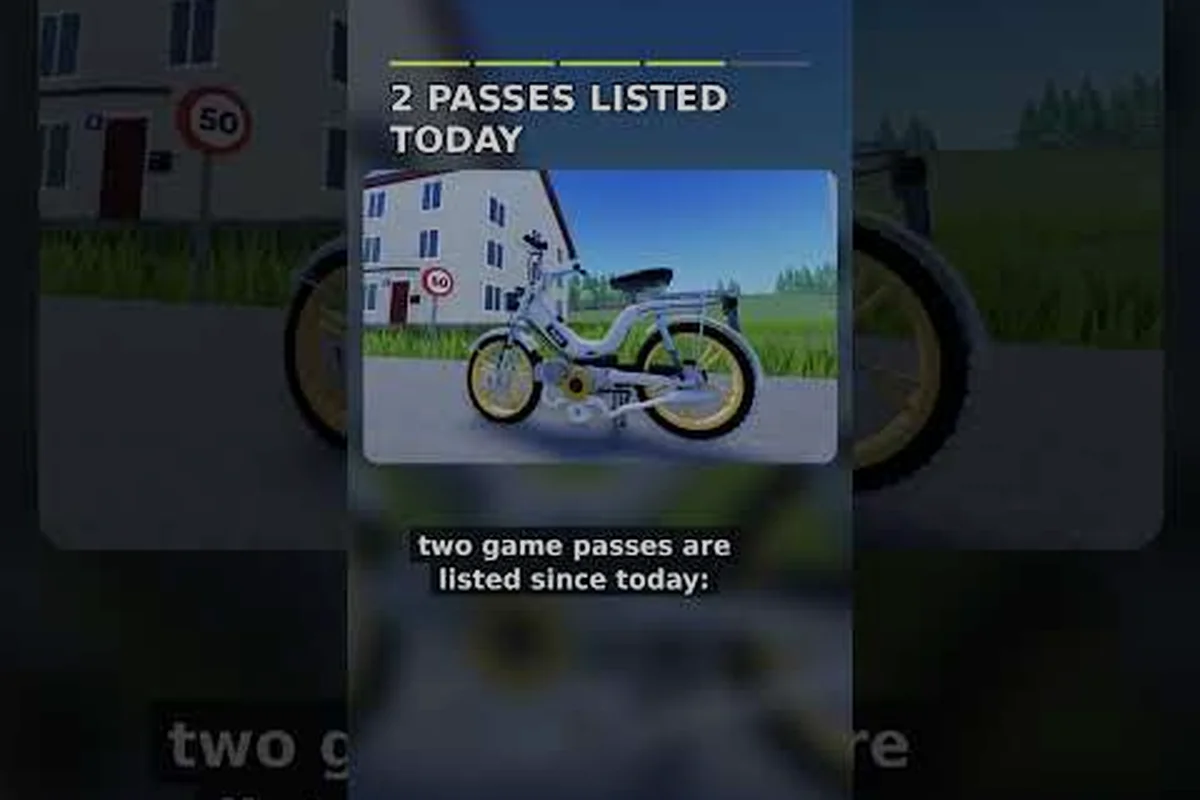
German Moped Days how to send feedback is one of the first things new riders ask about, because this small Roblox title is built and patched by a single developer. Knowing where to post a bug report or a suggestion keeps the game improving for everyone.
German Moped Days Game Overview
German Moped Days is a chill Roblox experience about restoring, tuning, and cruising two-stroke mopeds through quiet streets. Every ride starts with a manual kick-start, then a proper fuel blend, and only after that do you roll out. That ritual loop is the heart of the game, and it is why the community skews toward relaxed, detail-oriented players rather than competitive racers.
The developer behind the project is 123xPhilx321, whose Roblox profile doubles as the studio page for the game. There is no large team and no verified badge on that account, which matches the indie, one-person update pattern you see in the game's title changes and quick beta patch notes. Because one person handles everything, player reports carry real weight here.
Sessions host up to 20 players per server, so lobbies stay small and recognizable. You will often see the same names across evenings, which makes the community feel closer to a local moped meet than a crowded public server. That intimacy is also why feedback tends to get read rather than buried.
If you are still learning the basics of the game, the complete guide for new riders walks through the starting loop — kick-start timing, the correct two-stroke fuel blend, and your first tuning upgrades — before you worry about reporting anything. That order matters because feedback only lands when you can describe the behavior you saw, not just that something felt off. A rider who has already swapped a carburetor or re-jetted for a longer straight will write a far more useful report than someone still figuring out why their moped stalls cold, and 123xPhilx321 can act on the specific version.
What Makes This Game Different
Most Roblox vehicle games push speed and chaos. This one pushes patience. You blend fuel, you kick-start, you listen to the engine, and you cruise. The reward is atmosphere rather than a leaderboard climb, and that design choice shapes what kind of feedback is actually useful to the developer.
| Feature | Detail |
|---|---|
| Platform | Roblox |
| Developer | 123xPhilx321 (single creator) |
| Server size | Up to 20 players |
| Core loop | Kick-start, fuel blend, cruise |
| Update style | Frequent "(UPDATE! + fix!)" patches |
| Feedback channel | In-game phone or garage computer |
Why Feedback Matters in a One-Person Project
When a single developer ships fixes, every clear report saves hours. A vague complaint like "it broke" gives them nothing to reproduce, while a report that names the moped, the action, and the moment gives them a fixable bug. That difference is the whole point of learning how to send feedback properly.
How to Send Feedback In Game
The primary channel is built directly into the game. On both phone and PC, you can open an in-game device and write your message there. The developer collects these notes and turns them into patches, which is why the in-game route is the fastest path to being heard.
Here is the practical flow most players follow: open the in-game phone or garage computer, locate the feedback option, and write a short, specific message naming the moped, the location, and what you expected to happen. Because the 20-player server logs every session, including the time and server identifier when the issue is session-tied gives the developer enough context to reproduce it. Submitting once rather than spamming keeps the queue readable, and keeping a copy of your sent report means you can reference it later if a follow-up on a specific build or patch is needed.
-
Open the in-game phone or garage computer and look for the feedback option.
-
Write a short, specific message naming the moped, the location, and what you expected to happen.
-
Include the time and server if the issue seems tied to a specific session.
-
Submit once rather than spamming the same report repeatedly.
-
Keep a copy of what you sent so you can reference it if a follow-up is needed.
The in-game feedback tool is intentionally simple. That simplicity is a feature, not a limitation, because it keeps reports short and readable for one person to process. A 20-player server generates a manageable volume of notes, so the developer can actually read each one rather than triaging an overflowing inbox. Practically, this means a well-formed report — moped name, map location, expected versus actual behavior — often lands in the next patch notes, while a vague one gets skipped. Keeping your message under a few sentences also makes it easier to copy into a follow-up if the fix needs a second look after a build update.
Writing a Report That Actually Gets Fixed
A useful report follows a simple structure. Describe what you did, what happened, and what you expected instead. For example, "I blended fuel at the garage, then the kick-start animation froze on the second attempt" tells the developer far more than "the game is buggy."
| Report Element | Weak Example | Strong Example |
|---|---|---|
| Action | "It glitched" | "Kick-start after refueling" |
| Location | "somewhere" | "Main garage, second bay" |
| Timing | "sometimes" | "Around 8 PM, server of 14 players" |
| Expected result | (missing) | "Engine should start on first kick" |
If you want to understand the tuning side better before reporting, the riding guide explains how controls and handling behave, which helps you describe what went wrong. That matters because many "bugs" in German Moped Days trace back to how the kick-start, clutch, and fuel-mix systems interact rather than to a broken build — a moped that stalls after a garage refuel is often a lean mix, not a crash. Naming the exact control (kick-start, choke, gear shift) and the fuel ratio you used gives the developer a reproducible case instead of a vague "it won't start."
What Counts as Useful Feedback
Not every message needs to be a bug. Suggestions about new mopeds, cosmetic parts, or map routes are welcome too, and the developer has historically folded community ideas into updates. Balance notes, quality-of-life requests, and small polish ideas all land in the same inbox.
Reaching the Developer Outside the Game
Because the game runs entirely inside Roblox, the developer's official Roblox profile effectively serves as the studio page. Update announcements and fix notes reach the community through that profile and the official group, so following it is the simplest way to stay current.
You can find the creator's page here: 123xPhilx321 on Roblox. That profile is where patch notes and update signals appear, and it is the correct place to confirm you are looking at the real developer rather than a copycat account.
Membership: The First Update Gate
New players are expected to join the official Roblox group early, because membership gates code redemption and speeds up access to update announcements. If you plan to send feedback regularly, joining the group first means you will see the response to your report without hunting for it.
| Channel | Best For | Response Speed |
|---|---|---|
| In-game phone / computer | Bug reports, suggestions | Fast (folded into patches) |
| Developer Roblox profile | Update notes, announcements | Passive (read-only) |
| Official Roblox group | Codes, community updates | Medium |
| Server chat with other riders | Quick workarounds | Instant, unofficial |
Verifying You Have the Right Account
Impersonation is common on Roblox, so check that the profile you follow matches the creator credited in the game itself. A profile without a verified badge is normal here, so match the username rather than the badge. If a "developer" account asks for your password or Robux, it is not the real creator.
German Moped Days Guide 2026: Feedback Etiquette
A 2026 guide to this game would be incomplete without a word on tone. The developer is one person reading reports between coding sessions, so a calm, factual message gets acted on faster than an angry one. Politeness is not just nice here; it is practical.
Keep these habits in mind when you write: a German Moped Days feedback report works best when it leads with the version number and server size, since a bug on a 20 player server may not reproduce on a smaller lobby. Note the moped model, the map, and the exact steps that triggered the issue, then state what you expected versus what happened. That structure lets the solo developer reproduce your report in one pass instead of emailing you follow-up questions, which matters when patches ship on their own schedule.
-
Report the bug, not the person. Describe the problem without blaming anyone.
-
One issue per message. Bundling five bugs into one note makes each harder to track.
-
Skip the caps lock. Shouting does not speed up a fix.
-
Be patient with patch timing. A solo developer ships when the fix is ready, not on demand.
-
Say thanks when something gets fixed. It costs nothing and it is accurate.
Common Mistakes That Slow Down Fixes
The most frequent mistake is reporting something the game already explains. Before sending a note, check the in-game tutorial prompts and the group announcements, because many "bugs" are actually intended mechanics like the manual kick-start or the fuel blend requirement.
| Mistake | Why It Hurts | Better Approach |
|---|---|---|
| Vague description | Cannot be reproduced | Name the action and location |
| Duplicate spam | Clutters the inbox | Send once, wait for a patch |
| Reporting intended mechanics | Wastes developer time | Check tutorials first |
| Mixing many bugs in one note | Hard to track | One issue per report |
When to Use Server Chat Instead
For quick workarounds, other riders in your 20-player server are often faster than any formal channel. If your moped will not start, someone in chat has probably hit the same thing and found a fix. Save the formal feedback for genuine bugs and suggestions, and use chat for instant help.
Keeping Track of Updates and Fixes
Once you have sent feedback, the next step is watching for the response. Update announcements and fix notes reach the community through the developer profile and the official group, and the game's title itself often changes to signal a new patch. Watching that title is a low-effort way to know when your report may have been addressed.
If your interest leans toward progression rather than reporting, the badge and leaderboard guide covers how milestones and player charts work, which pairs well with understanding how updates roll out. That matters because the two systems are linked: a patch that adjusts the 20 player server's vehicle handling or economy values can shift which badge thresholds are realistically reachable, so a fix note you spot in the title may also reset your expectations for the leaderboard. Reading the badge guide alongside those update announcements gives you a clearer picture of whether a change affects your progression goals or just your bug report.
Reading Patch Notes Like a Regular
Patch notes here are short and informal, often just a line or two. Read them for keywords tied to your report, such as the moped model or the system you mentioned. If your issue is not listed, it may simply be queued behind other fixes rather than ignored.
| Signal | What It Usually Means |
|---|---|
| Title changes to "(UPDATE! + fix!)" | A patch just shipped |
| Group announcement | New content or codes |
| Profile post | Developer note or hotfix |
| No mention of your bug | Still queued, not rejected |
Building a Feedback Habit
The riders who get the most out of this game treat feedback as a light routine rather than a chore. Note a bug when you see it, send one clear message, then get back to cruising. Over a few weeks, that habit quietly improves the game for the whole 20-player community.
Frequently Asked Questions
How do I send feedback in German Moped Days?
Open the in-game phone or the garage computer and use the feedback option there. Write a short, specific message naming the moped, the location, and what you expected to happen. This in-game route is the fastest way to reach the developer, since reports are folded directly into patches.
Where can I find the developer's official page?
The creator, 123xPhilx321, has an official Roblox profile that acts as the studio page for the game. Update announcements and fix notes appear there and through the official group. Always match the username rather than a verified badge, since this indie account does not carry one.
What should I include in a bug report?
Include the action you took, the location, the approximate time and server, and what you expected instead. A report like "kick-start froze after refueling at the main garage" is far more useful than "the game is broken," because the developer can actually reproduce it.
Do I need to join the official group to send feedback?
No, but joining early helps. Group membership gates code redemption and speeds up access to update announcements, so you will see the response to your report sooner. The in-game feedback tool works whether or not you are a member.
How long does a fix usually take?
Timing varies because one developer handles everything, and patches ship when they are ready rather than on a fixed schedule. Watch the game's title for "(UPDATE! + fix!)" changes and check the developer profile for notes. If your issue is not listed, it is usually queued, not rejected.
Sending feedback in German Moped Days comes down to three habits: use the in-game phone or garage computer, write one clear and specific report, and watch the developer profile and official group for the patch that follows. Do that consistently, and your notes will help shape a small, single-creator game that keeps getting better for every rider on the server.