
The German Moped Days garage radio turns a plain parking bay into a personal hangout, letting you pipe custom audio through your space while the garage computer handles account chores. Together they make your garage the one room you actually want to spend time in between delivery runs.
Garage Radio: Music and Ambience Only
The garage radio is a cosmetic audio feature that plays music inside your garage while you park, tune, or sort your moped collection. It does not affect speed, fuel, or payouts, so you can treat it purely as atmosphere. What makes it interesting is the custom audio angle: instead of a fixed in-game soundtrack, the radio is tied to your own audio setup, which is why so many players hunt for a "german moped days custom audio garage" walkthrough.
According to community reports, the radio sits alongside the other garage decorations, meaning it shares space with lighting colors and paint choices rather than competing with them. You can run neon underglow, a repainted wall, and music at the same time without one canceling the other.
Here is how the radio stacks up against the other garage-side features players ask about most: unlike the garage computer, which is free but functional — handling account access, redeem codes, and moped management — the radio is purely cosmetic and costs nothing in gameplay terms. The workbench sits at the opposite end of the spectrum, since tuning and part swaps there consume real parts and directly change how your moped performs. Lighting colors and garage paint round out the cosmetic tier alongside the radio, meaning you can stack neon underglow, a repainted wall, and custom audio simultaneously without any one option locking out another. In short, the radio belongs to the same "look and feel" category as lighting and paint, not the "get things done" category occupied by the computer and workbench.
| Feature | What It Changes | Affects Gameplay? | Cost Type |
|---|---|---|---|
| Garage radio | In-garage music / custom audio | No | Cosmetic |
| Lighting colors | Neon and room glow | No | Cosmetic |
| Garage paint | Wall and floor look | No | Cosmetic |
| Garage computer | Account, codes, management | Yes | Free |
| Workbench | Tuning and part swaps | Yes | Parts cost |
The key takeaway is simple: the radio is flavor, the computer is function. Mixing those two up is the single most common source of confusion in garage threads, because both live in the same room and both get called "the garage thing" by newer players.
Why Custom Audio Matters More Than It Sounds
A radio that only plays one loop gets old fast, which is exactly why the custom audio option exists. Players who stream or record clips use it to keep their garage segments from sounding identical to everyone else's, and casual riders use it to make long parking sessions less dull.
Because the radio is cosmetic, there is no downside to leaving it on. It will not drain fuel, slow your moped, or interfere with the workbench. If you later decide you want a quieter garage, you can simply switch the audio off without losing any progress or spending euros.
Using the Garage Computer Step by Step
The garage computer is the functional heart of your space. It is the account hub where you log in, review your garage, and redeem codes such as LADEBALKEN. If you have ever wondered how players redeem a promo code without leaving the game, the answer is almost always this terminal.
The flow is short, but the order matters: skipping the login step means the german moped days garage computer has no profile to attach a reward to, so a valid LADEBALKEN entry can silently vanish instead of crediting your garage. Treat it like a five-beat sequence rather than a checklist you can reshuffle — interact, authenticate, enter the code with exact capitalization, confirm, then reopen the garage view to verify the mopeds, euros, or storage slots actually landed.
-
Walk up to the computer inside your garage and interact with it to open the account menu.
-
Log in or confirm your account so the terminal recognizes your profile and saved garage.
-
Navigate to the code redemption field and type the code exactly as written, matching capitalization.
-
Confirm the entry and wait for the reward to land in your account.
-
Return to the garage view to check that new mopeds, euros, or slots have been applied.
Community data suggests that most "code not working" complaints trace back to step three, where a single wrong capital letter or a stray space breaks the match. Because LADEBALKEN is case-sensitive, typing it as "ladebalken" or "LadeBalken" returns the same silent failure as a nonexistent code, and the terminal gives no error message to tell the two apart. The computer itself rarely fails; the input does. Copy-pasting from a Discord post often drags in a trailing space, which is invisible in the redemption field but still invalidates the entry.
Computer Input Errors to Avoid
-
Typing codes in lowercase when the code uses capitals, which silently fails the check.
-
Leaving a trailing space after pasting, which the field accepts but the validator rejects.
-
Redeeming on a phone when the code is gated to the in-garage computer, a distinction covered in the hidden codes and phone redemption breakdown.
-
Skipping the login step, which means the terminal has no profile to credit the reward to.
-
Assuming a failed code is expired before checking capitalization, since expiry is far less common than a typo.
Each of these is a two-second fix once you know to look for it, and none of them require contacting support or restarting the game. The reason is that the garage computer validates each code against an exact string match before it ever checks expiry, so a single wrong character fails the same way an old code does — which is why the capitalization and trailing-space traps above produce identical "invalid" feedback. If you have already confirmed the code is typed correctly and still get rejected, the next thing to verify is whether you are entering it on the garage computer rather than the radio terminal, since the two interfaces accept different code sets and the radio will simply ignore a garage-only string.
How Garage Storage Ties Into the Radio and Computer
Storage is the third pillar of the garage, and it connects to both the radio and the computer more than people expect. Every player starts with 3 moped storage slots, and the Bigger Garage pass raises that ceiling to 6 slots. The computer is where you review what you own, and the radio is what plays while you decide what to keep.
When your slots fill up, the garage stops being a showroom and starts being a puzzle. You have to choose which mopeds earn a permanent spot and which get sold to fund the next purchase. The garage capacity and slot unlock guide walks through the upgrade path in detail, but the short version is that capacity is the gate on everything else.
| Storage Situation | Slots Available | What It Means for You |
|---|---|---|
| Fresh account | 3 | Room for a starter plus two keepers |
| Bigger Garage pass | 6 | Comfortable for a themed collection |
| Full garage | At cap | Must sell or upgrade before buying |
| Themed build | 3-6 used | Radio and paint make the set feel intentional |
A full garage is not a dead end — it is a signal to either sell a duplicate or commit to the Bigger Garage pass. Open the computer menu and read the slot counter before you buy anything: if it shows 3/3, every new moped purchase is blocked until you free a slot, so the radio in the background is your only soundtrack while you sort keepers from trade-ins. Selling a duplicate starter frees exactly one slot, which is usually enough to slot in a themed build without paying for the upgrade.
Managing a Garage You Actually Enjoy
Managing a garage well comes down to three habits. First, keep one slot free as a buffer so a surprise purchase never forces a rushed sale. Second, group your mopeds by theme, since a vintage lineup like the Simson S51 collection looks far better under matching paint and lighting than a random mix. Third, use the radio as the finishing touch rather than the starting point, because audio sets the mood but storage decides what is even in the room.
Players who follow those habits report that their garage feels less like a parking lot and more like a project. The radio and computer are small features individually, but together they turn a functional space into one you return to on purpose.
Custom Audio, Codes, and Daily Garage Routine
The most efficient garage routine combines all three systems in one visit. You roll in, park, let the radio play, open the computer to check for new codes, and confirm your storage before heading back out. That loop takes under a minute once you know the layout, and it prevents the two most annoying outcomes: missing a limited-time code and discovering your garage is full at the worst moment.
For code timing specifically, the 2026 active codes list is worth checking before each session, since codes rotate and a terminal visit is the only way to claim them. Pairing that check with your normal refueling stop keeps everything in one trip.
A Practical Checklist for Every Garage Visit
- Park the moped and confirm it registered in a slot
- Open the garage computer and log in
- Check for any new or expiring codes
- Redeem anything valid, watching capitalization
- Review storage count and sell duplicates if needed
- Adjust radio audio or lighting if the mood has changed
- Confirm tuning parts before leaving for a run
This seven-step sweep takes under a minute once it becomes muscle memory, because the garage computer consolidates what used to require three separate trips: the code terminal for german moped days redeem computer garage entries, the storage locker for german moped days garage storage management, and the audio panel for german moped days custom audio garage tweaks. Skipping any single step compounds fast — an expired code left unredeemed vanishes permanently, and a storage locker stuffed with duplicate tuning parts blocks new drops from registering. That is why veteran riders treat the garage as a checkpoint rather than a pit stop: each visit resets your baseline, so the next run starts with a clean code queue, a trimmed inventory, and a radio mix dialed to the route ahead.
Radio, Computer, and Storage Compared
The distinction matters because German Moped Days assigns each garage object a fixed interaction type, and mixing them up wastes session time. The garage radio is purely cosmetic — swapping stations or loading custom audio costs zero progress and never unlocks a redeem code. The garage computer is the only functional terminal: it handles login, redeem code entry, and management tasks, which is why players hunting for a free moped skin should check the computer menu rather than clicking the radio dial. Storage, meanwhile, is a capacity constraint, not a feature you operate — it silently caps how many mopeds you can hold, so every purchase decision runs through it. Reading the comparison table with that lens turns a confusing garage into three clean buckets: expression, utility, and limits.
| System | Primary Job | Time Cost | Skill Needed |
|---|---|---|---|
| Garage radio | Atmosphere and custom audio | None | None |
| Garage computer | Login, codes, management | Seconds | Basic reading |
| Garage storage | Holding your moped collection | None | Planning |
| Workbench | Tuning and upgrades | Minutes | Moderate |
| Lighting and paint | Visual identity | None | None |
The pattern is clear: the radio and cosmetics are free expression, the computer is the utility tool, and storage is the constraint that shapes every decision. Understanding which bucket each feature falls into stops you from wasting time hunting for gameplay benefits in a cosmetic system, or ignoring a functional tool because it looks like decoration.
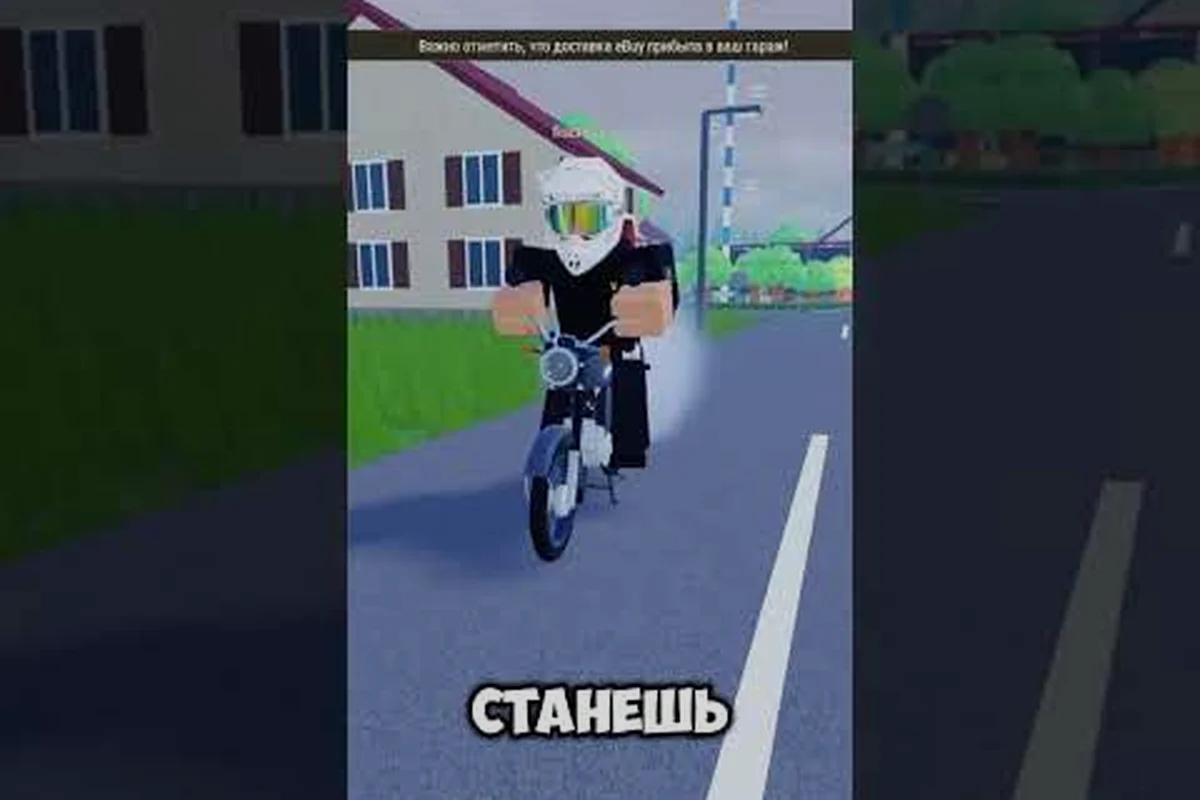
A short video walkthrough from the community, BlockmasterMoped's riding and garage tutorial, shows how the garage fits into a normal session, including the parking and control habits that make the space feel natural to use.
Frequently Asked Questions
Does the garage radio affect gameplay in any way?
No. The radio is purely cosmetic and only changes the audio inside your garage. It does not touch speed, fuel consumption, payouts, or tuning, so you can leave it running permanently without any downside. Treat it as atmosphere, not as a stat boost.
How do I redeem a code at the garage computer?
Walk to the computer, interact to open the account menu, log in, then enter the code exactly as written with matching capitalization. Confirm the entry and check your account for the reward. Most failures come from lowercase typing or a trailing space, not from expired codes.
Why does my custom audio not play in the garage?
Custom audio usually depends on your own setup rather than a fixed in-game track, so a muted device, a disconnected source, or a volume setting outside the game can silence it. Confirm your audio is active before assuming the radio feature is broken.
How many mopeds can I store by default?
Every player starts with 3 moped storage slots, and the Bigger Garage pass raises that to 6 slots. When you hit the cap you must sell a moped or expand capacity before buying another, so keep one slot free as a buffer.
Is the garage computer the same as the workbench?
No — the garage computer and the workbench are two distinct stations inside the same room. The computer is your account terminal: it handles login, code redemption, and garage storage management, letting you view, buy, or sell moped slots. The workbench is purely mechanical, covering tuning and part swaps on the mopeds you already own. Because both sit in the garage, newer players often walk up to the wrong one — if your goal is redeeming a code or expanding from 3 to 6 slots with the Bigger Garage pass, head to the computer, not the bench.
The garage radio, computer, and storage system form a tight loop that rewards a little routine. Set your audio, claim your codes at the terminal, and keep your slots organized, and the garage becomes the most useful room in the game rather than a place you pass through.